STEPSVG · PDF · PNG
From STEP file to technical illustration
Exact hidden lines from the CAD geometry, exploded views that come apart without collisions, balloons and parts lists. Exported as SVG, vector PDF or PNG.
- placements
- 91
- items
- 16
- HLR passes
- 6

01From STEP file to manual
One file in. Drawings, exploded views and parts pages out.
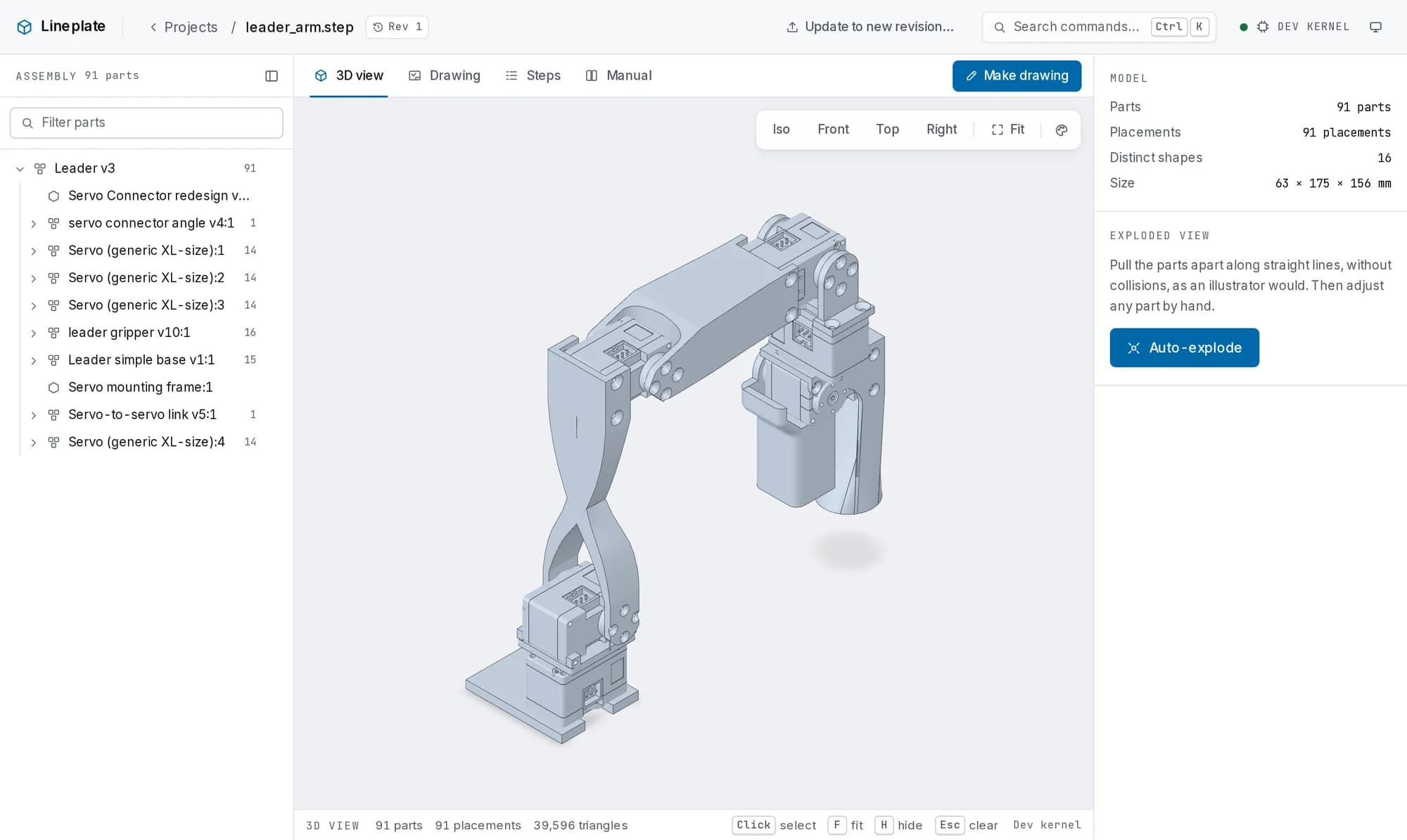
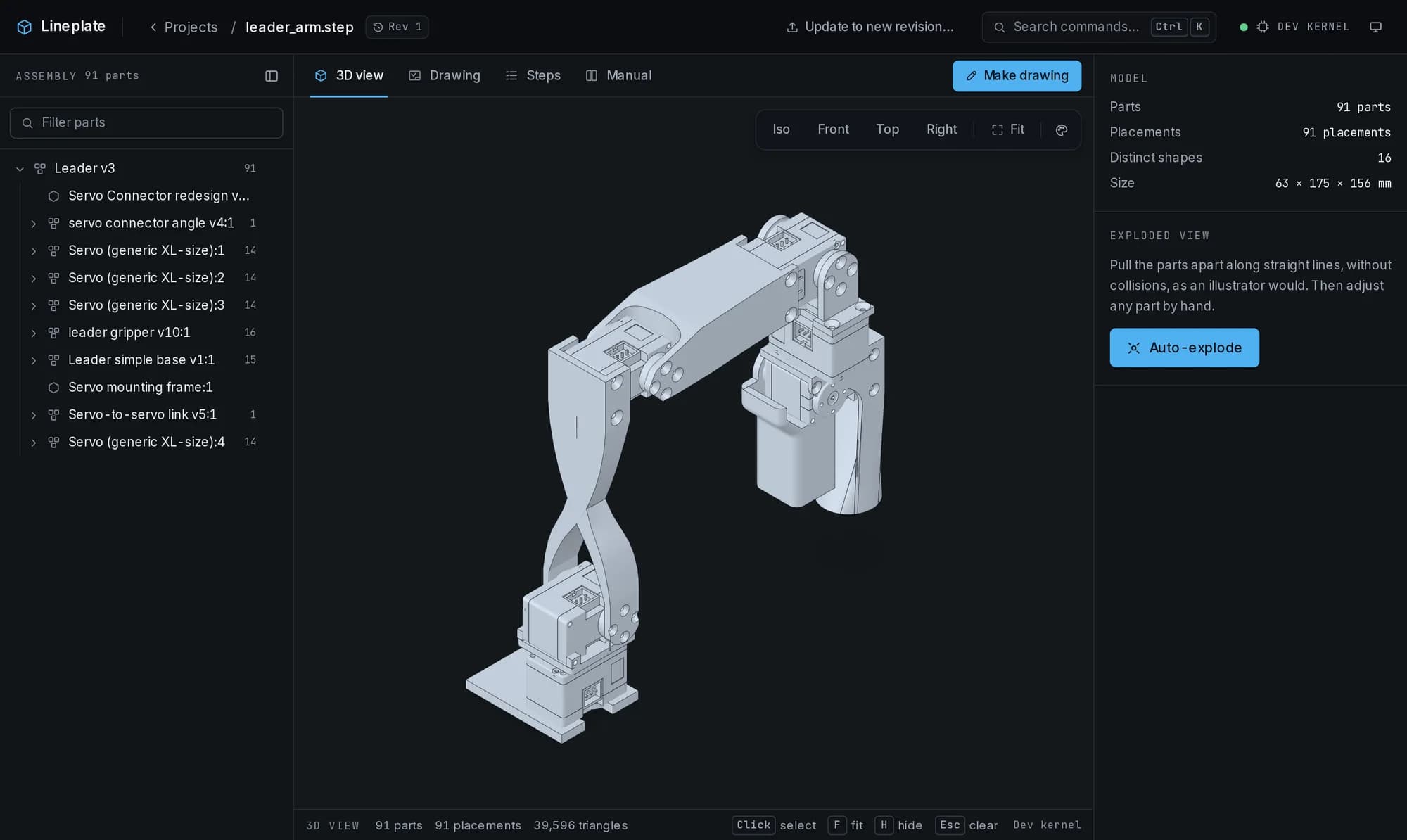
Each stage below is the studio's real output for one assembly: leader_arm.step, 91 parts in 91 placements. Nothing has been retouched.
02Vector, all the way down
Zoom in until a raster gives up.
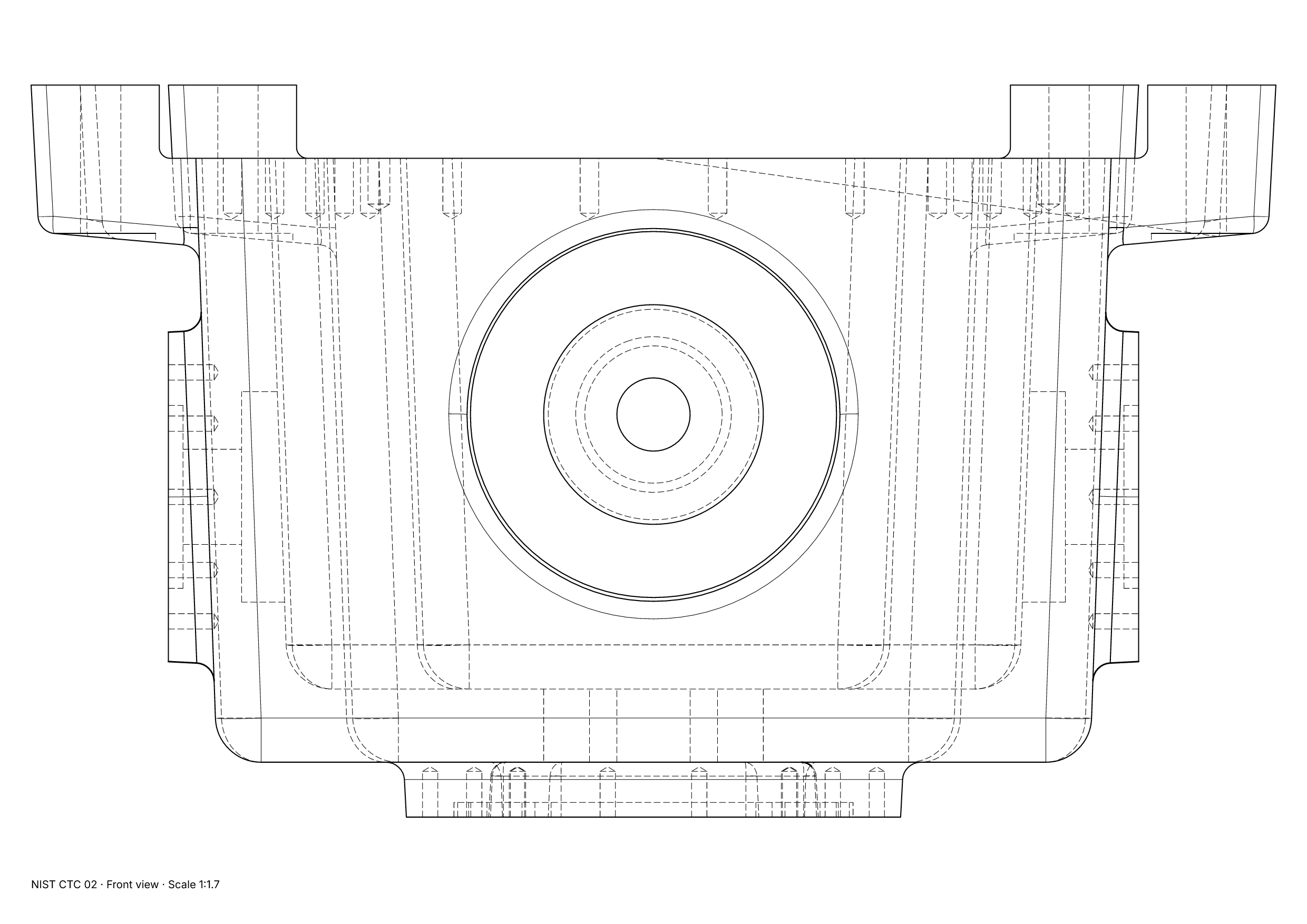
The same drawing twice: on the left rasterised at 150 dpi, on the right the SVG the studio writes. Circles are drawn as true arcs, so they stay sharp at any size, in print and in your layout software.
Drag the divider
))
Measured on this SVG
- True arcs
- 116
- Circles made of straight lines
- 0
- Circles made of Bézier curves
- 0
- Stray fragments
- 0
- Duplicate lines
- 0
- File size
- 11.2 KB
NIST CTC 02, front view, Technical style. Our engine test measures the same things on 32 views of the NIST test parts: 0 fragments and 0 circles drawn any way but as arcs on every one. One NIST file holds only triangles and gives no drawing; that is reported as a miss.
03What it does
What an illustrator does by hand, drawn from the CAD.
Free covers single illustrations, with no watermark. Pro adds the workflow around them. Every picture is the studio's real output.
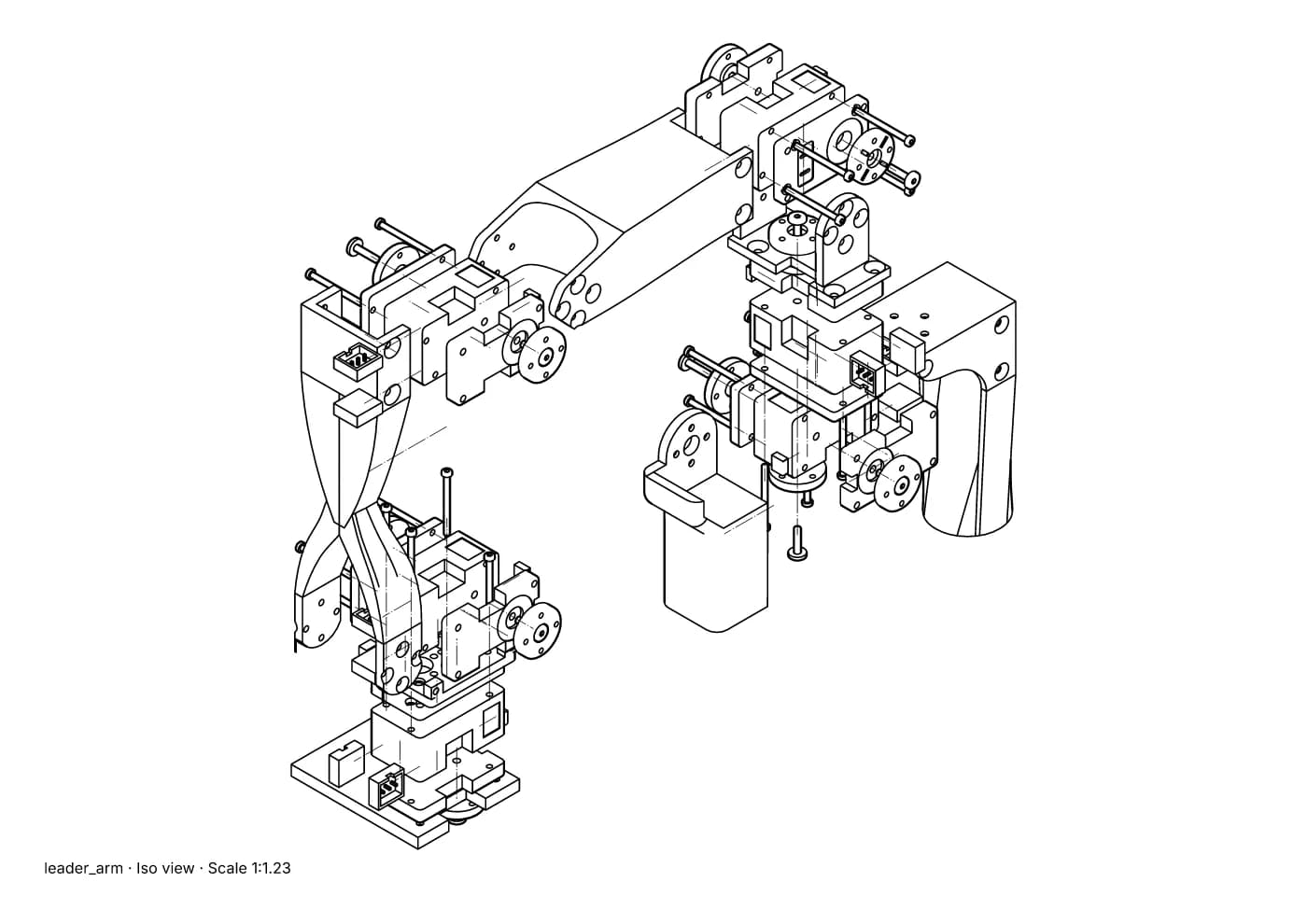
Exact line art
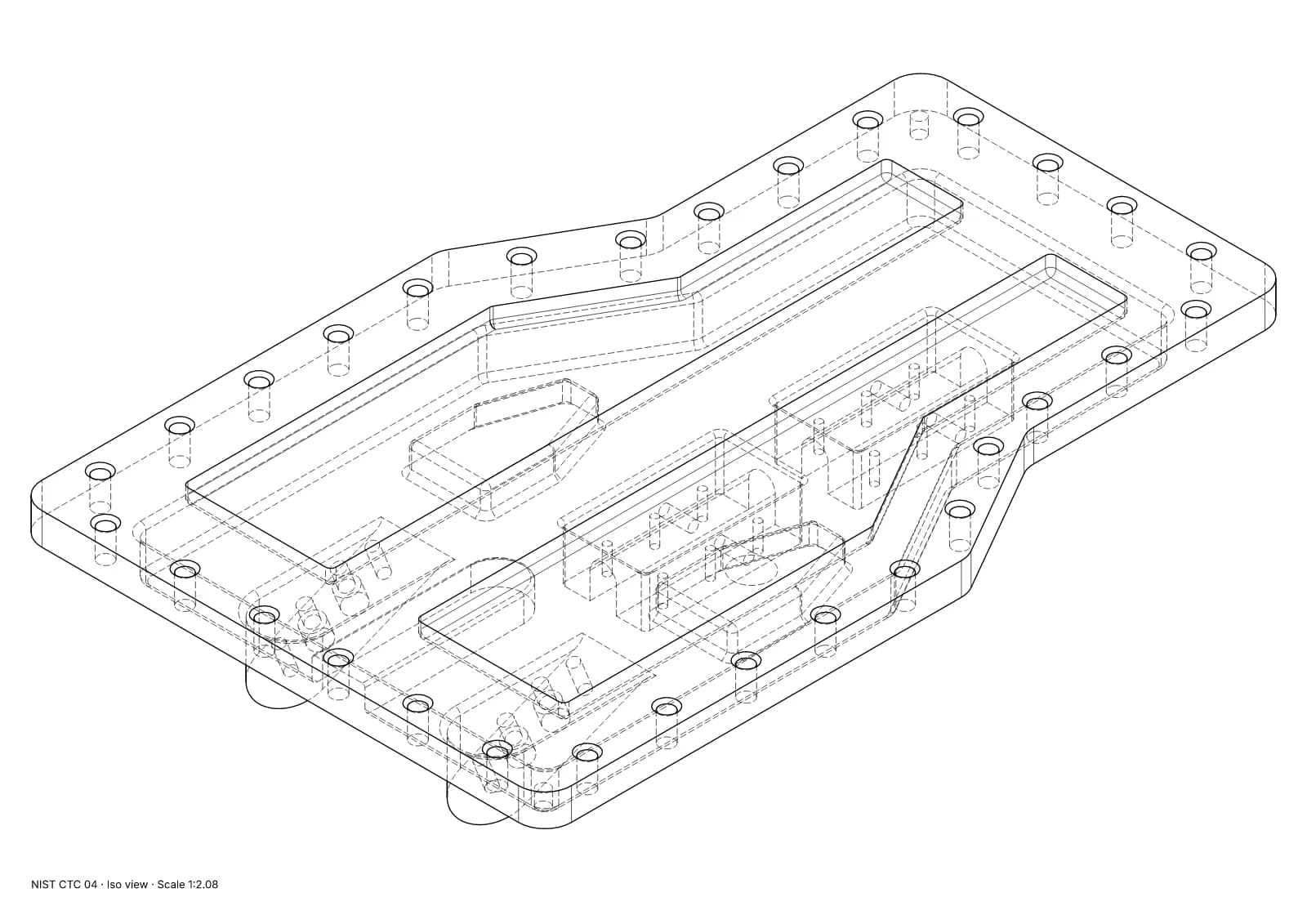
FreeHidden lines worked out from the B-rep, so arcs are arcs and nothing is left in stray pieces. Technical, Illustration or Heavy outline, with your own weights.
Auto-explode
FreeParts pulled apart along straight lines with no collisions, then adjusted by hand, with undo.
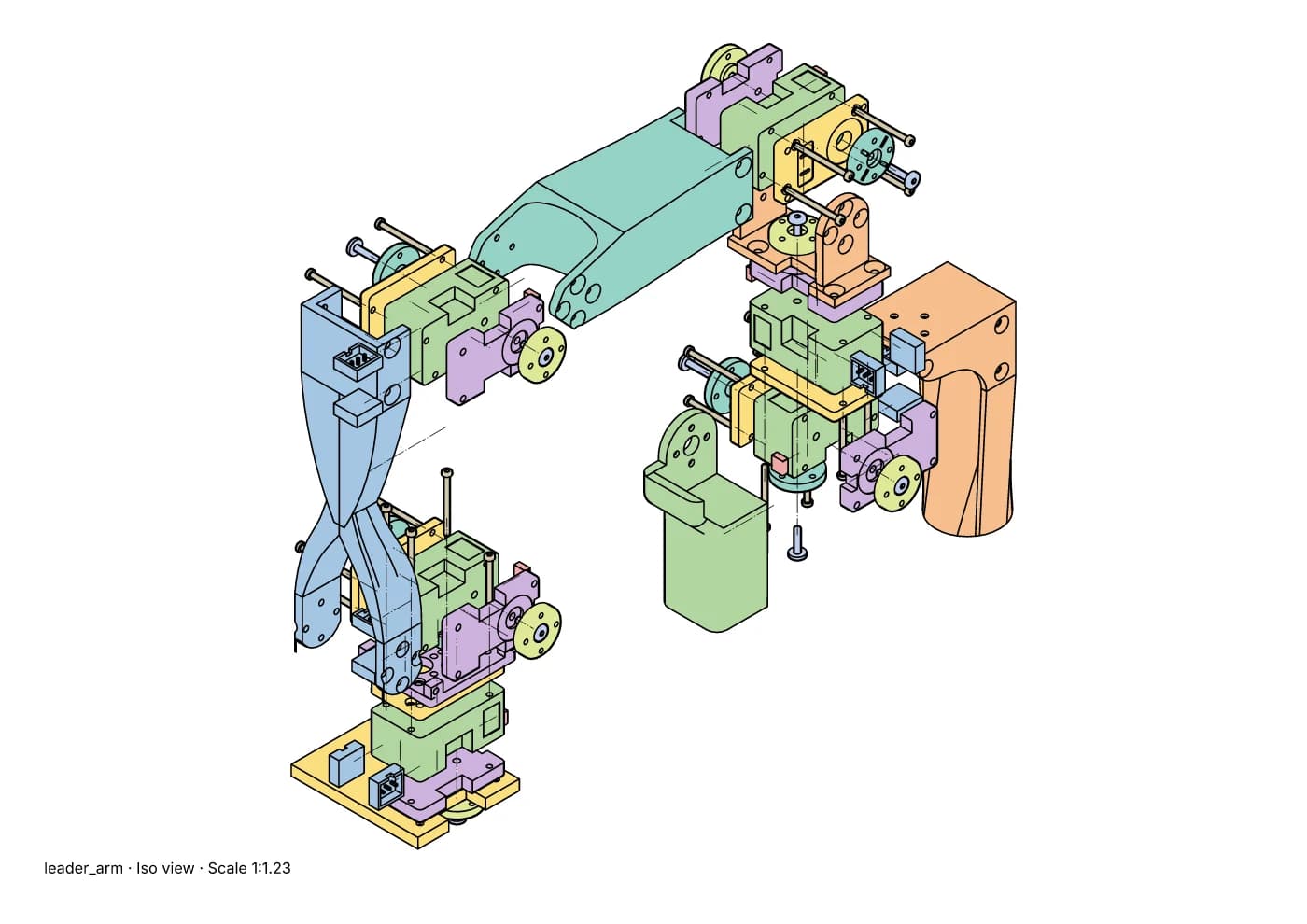
Coloured parts
FreeEach part filled in a flat colour under its lines, for a web page or a printed insert where a picture reads better than a line drawing. Every copy of a part shares one colour. In any PNG export, and as a PDF with the lines and text kept vector over the colour; with Pro, in batch exports and the manual's PNG pages and PDF too. Visible lines only.
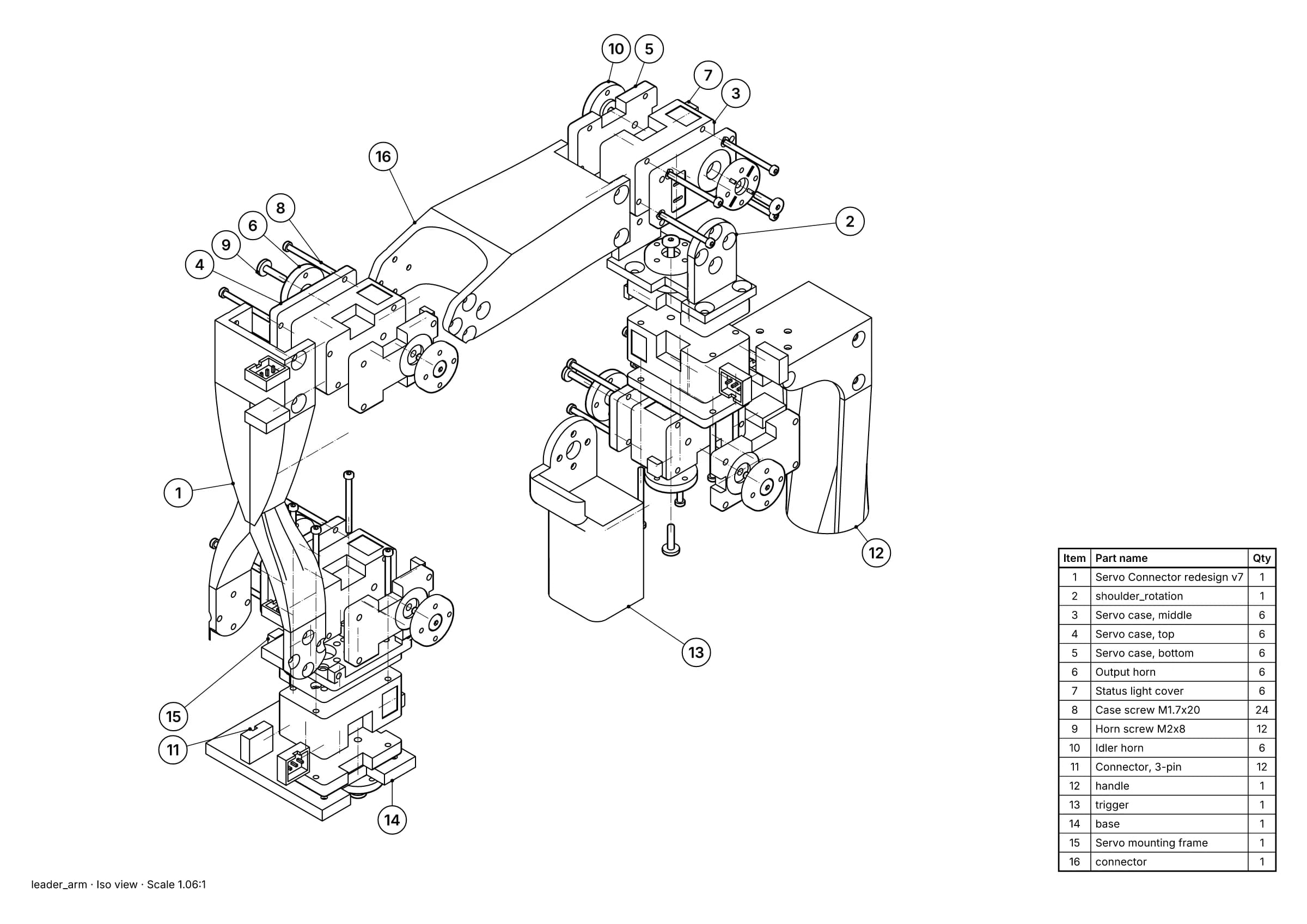
Balloons and parts lists
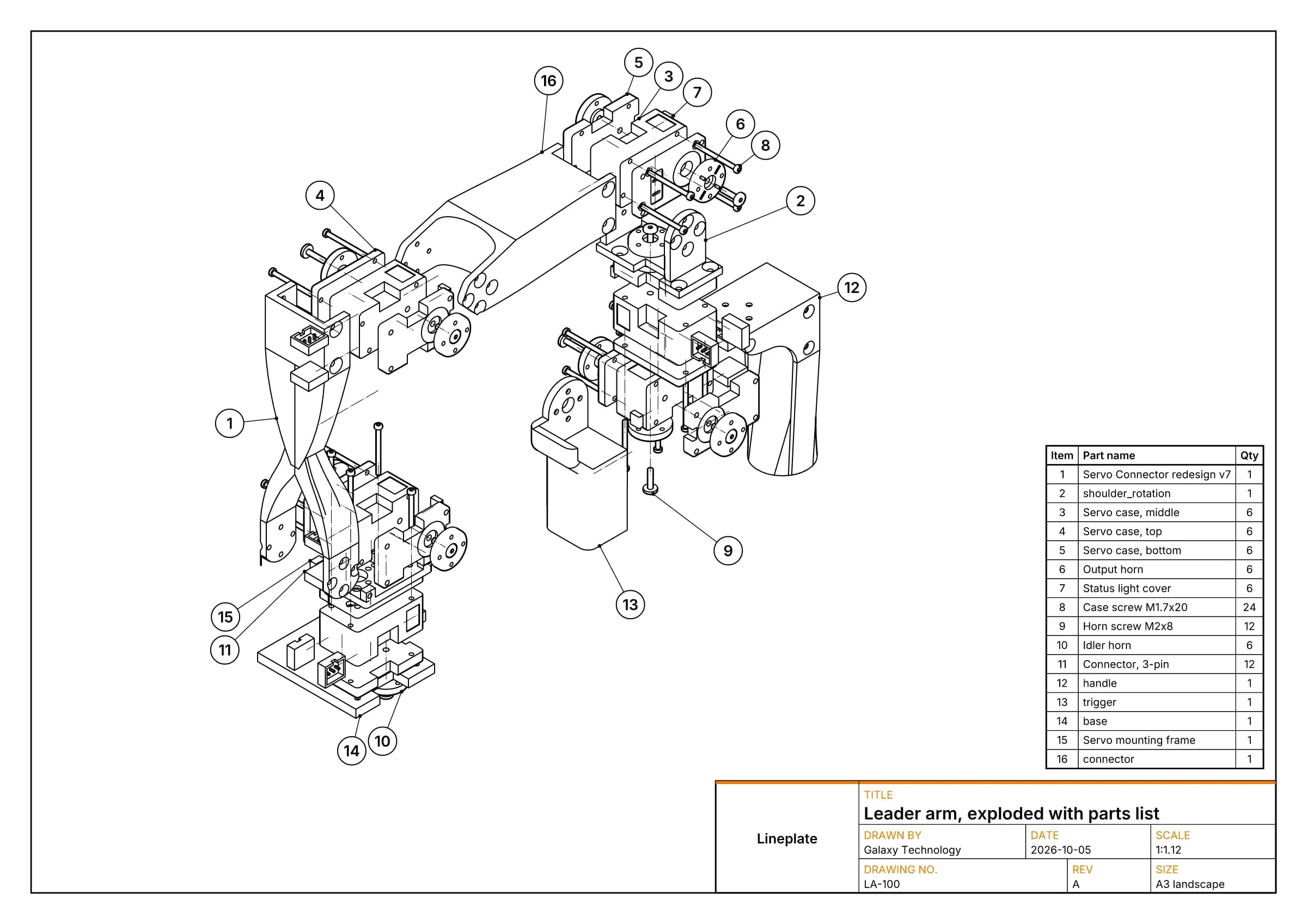
ProNumbers from the assembly, shared by every drawing in a project. The list goes on the sheet and out as CSV. The leader arm's parts list (16 rows)
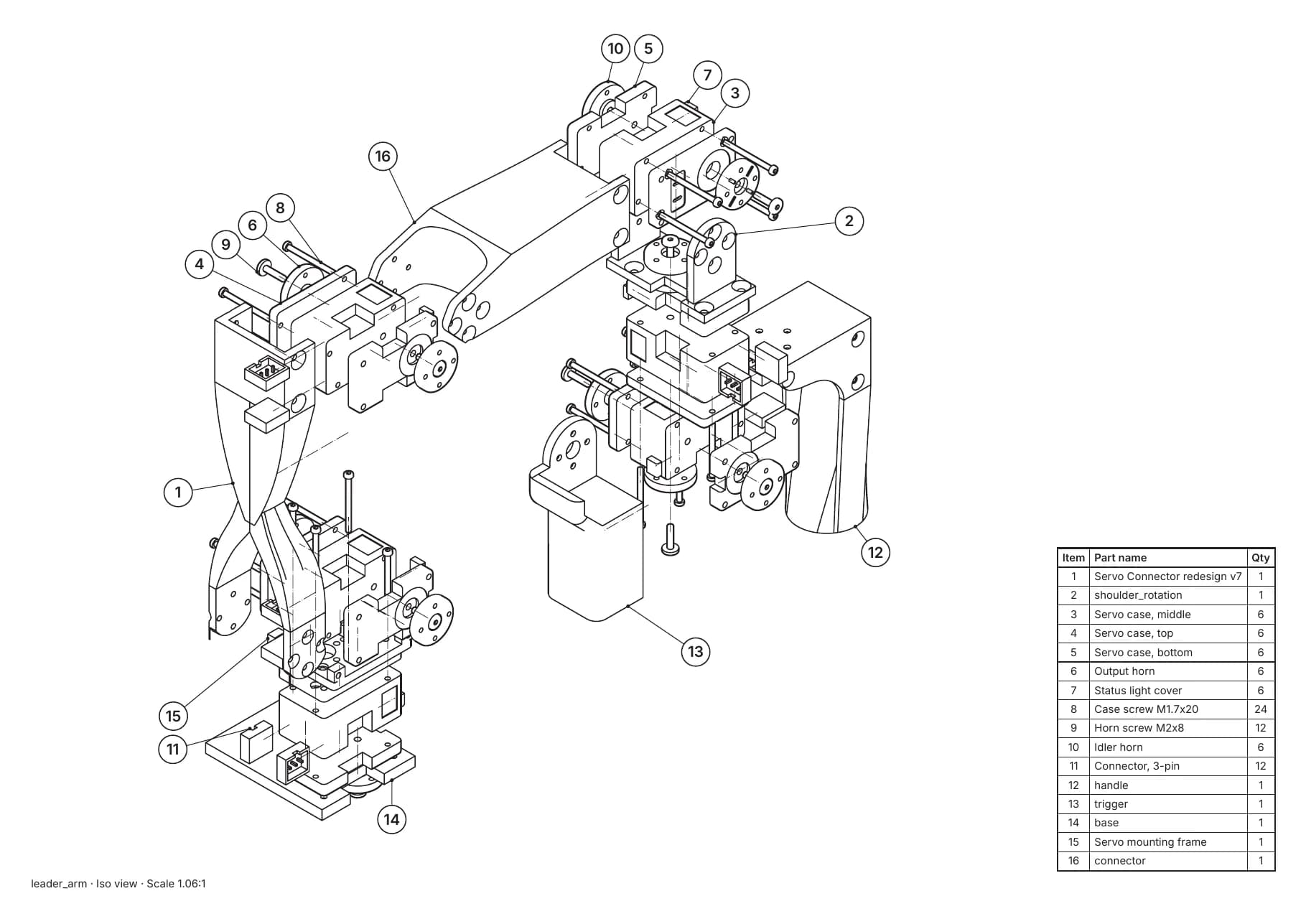
Print-ready PDF
FreeVector PDF/A-2b, in RGB or CMYK for print. This parts page passes the veraPDF PDF/A-2b check in both (5 Oct 2026). Download it (63 KB)
Step-by-step manuals
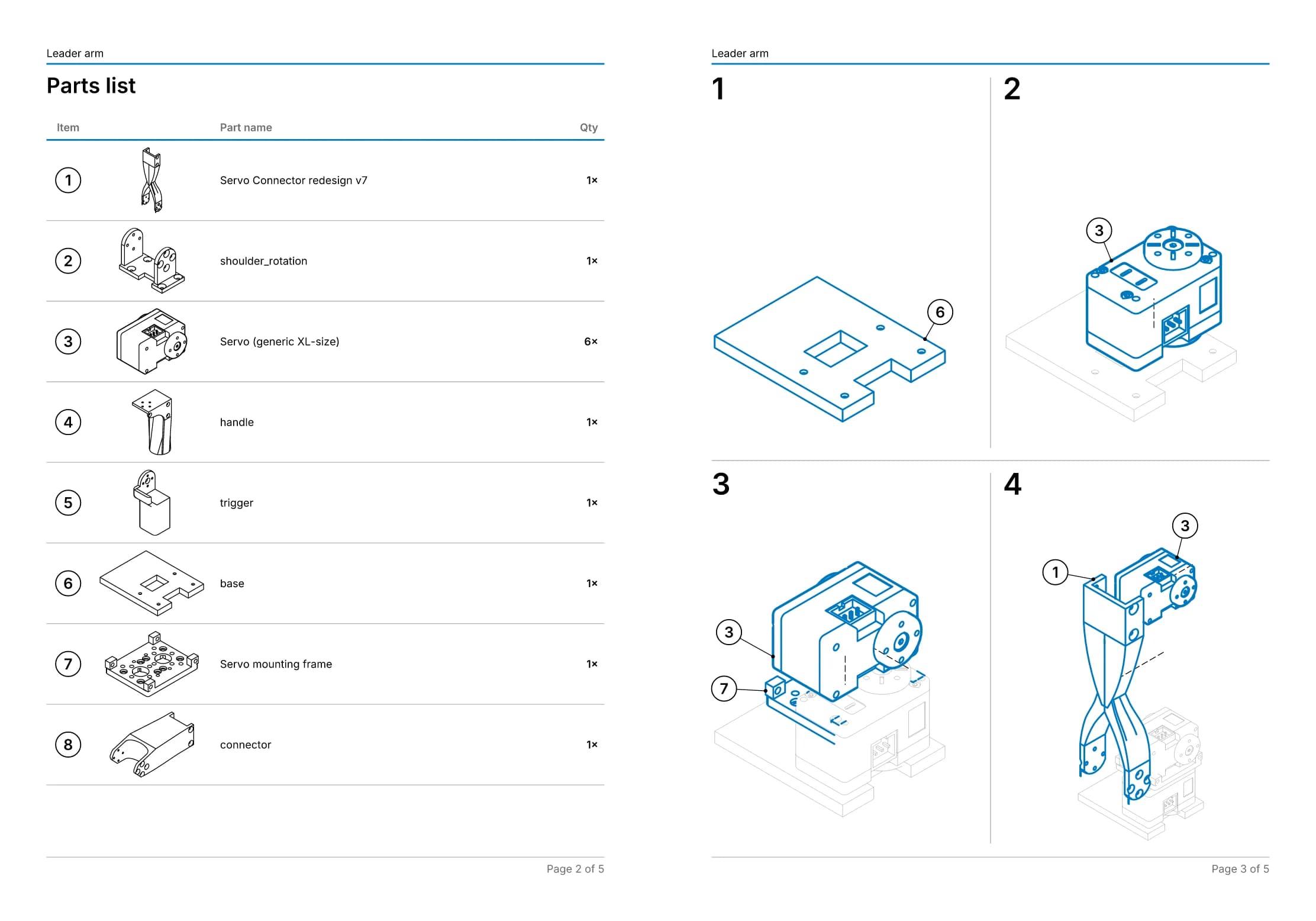
ProAssembly steps, each with its own view and the parts it adds, laid out page after page in a PDF with bookmarks, or as one web page with a section per step for your own site. The leader arm's manual (156 KB)
Formats in and out
In: STEP (.step, .stp), IGES (.iges, .igs) and Open CASCADE BREP (.brep). Mesh files such as STL can't be opened: a mesh has no exact edges to draw. Out: SVG in millimetres with one group per placed part, DXF of the lines at 1:1 in millimetres, vector PDF, and PNG at 150, 300 or 600 dpi, in line only or with the parts coloured (the PDF too). The 3D parts go out as STL, in millimetres. Manuals also go out as a single HTML page.
Revision updates
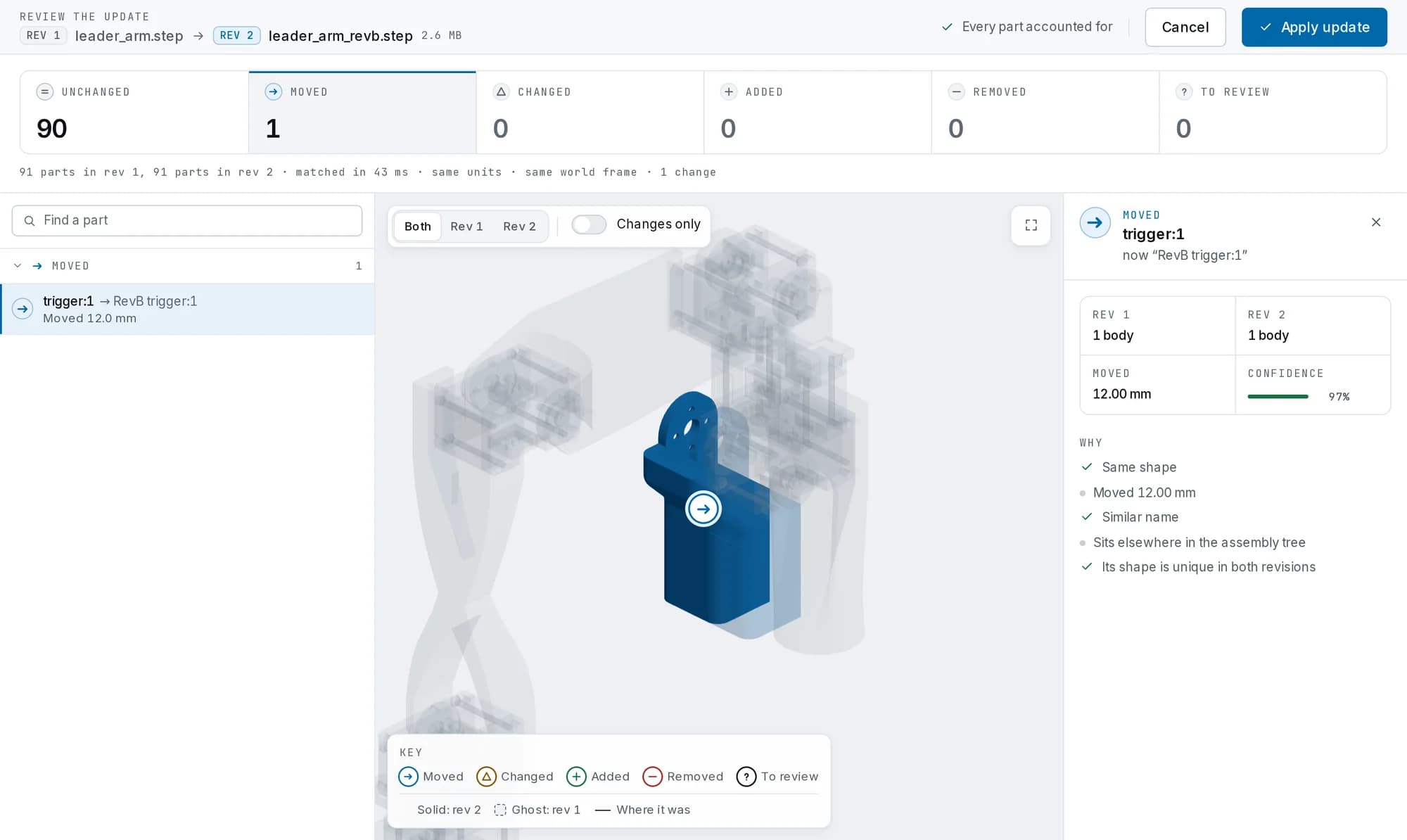
ProWhen the CAD changes, the drawings, numbers and parts lists follow it instead of being redrawn.
Brand templates
ProA border and title block on every sheet, with your company, logo, colour and font. The same brand dresses the manual, and can be the default for new projects.
Batch export
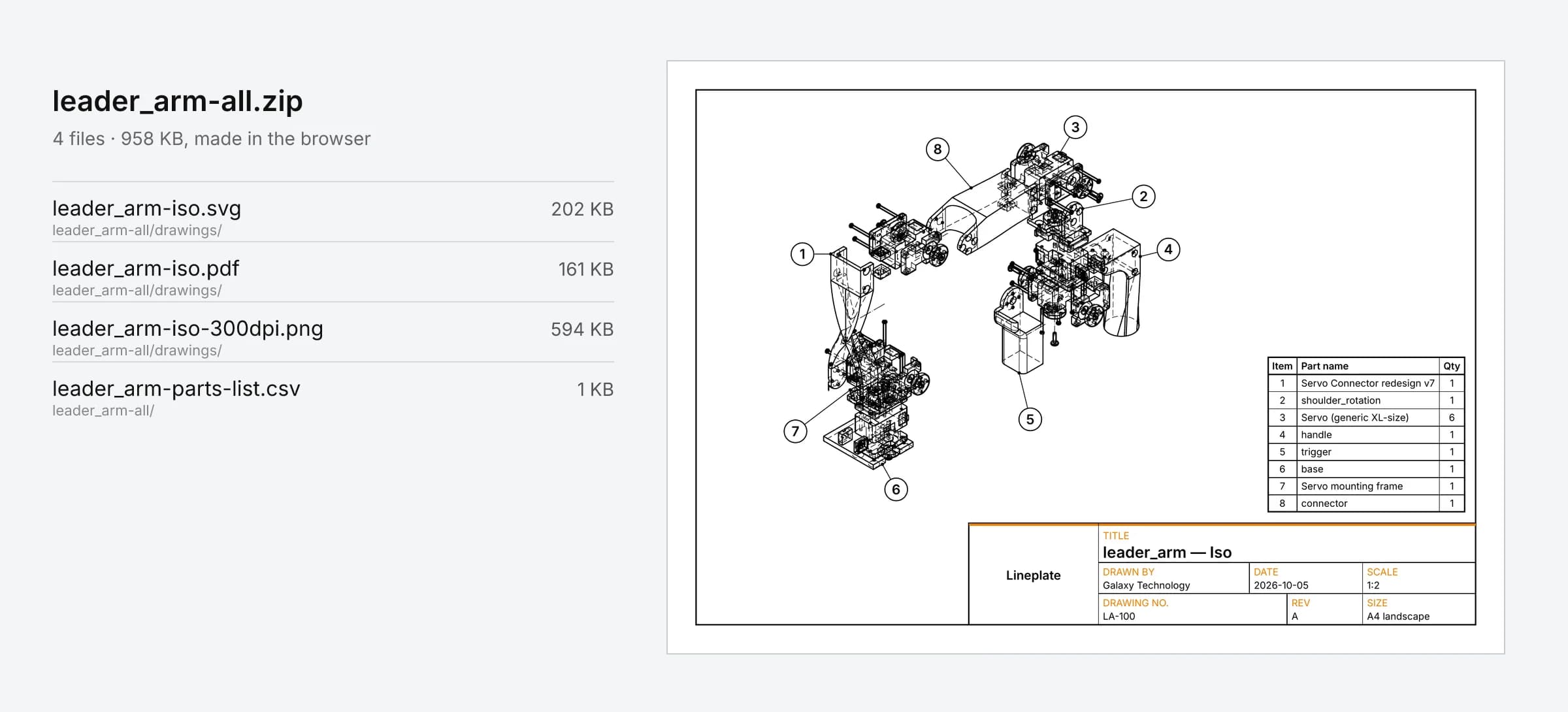
ProEvery drawing of a project as PDF, SVG and PNG, the parts list as CSV and the manual as PDF, in one ZIP, made in your browser.
04Local first
Your CAD never leaves your browser.
The file is read by your browser and processed by a geometry kernel running on your machine. Projects stay in your browser's storage; every export is made on your machine.
Your computer · inside the browser
Your STEP file
read by the browser, never uploaded
Geometry kernel
Open CASCADE Technology, compiled to WebAssembly, in a background worker
Line art, PDF and PNG
drawing worker
Your projects
IndexedDB and OPFS
Your downloads
saved by your browser
Our server
Sends the pages, the app, the geometry kernel and its fonts. Nothing of your files or projects goes back to it.
- pages, code, kernel, fonts to you
- no upload route for your files
- no export route: PDFs are made on your machine
- no account needed, and no cookie without one
Check it yourself
Open your browser's developer tools and watch the Network tab while you work. The security page lists exactly what is stored where.
05Pricing
Simple plans, priced per editor.
Free stays useful: drawings of up to 250 parts, no watermark, no sign-up. Pro adds balloons, manuals, revision updates, brand templates and batch export, with a 14-day free trial. Shop Floor publishes the instructions to the line, with operator sign-off.
Every paid plan, billed each month.
Free
£0no account
- Drawings of up to 250 parts
- Exact hidden lines, three line styles, your own weights
- Exploded views with explode trails
- SVG, DXF, PDF and PNG export, no watermark
- STL export of the 3D parts
- 1 project kept in your browser
Pro
£29/ month, one person
After the 14-day free trial: £29 a month, or £290 a year
Card required. You won't be charged until day 15. Cancel any time before then from your account and you pay nothing.
- Your CAD never leaves your browser
- Any number of parts and projects
- Balloons and parts lists, on the sheet and as CSV
- Step-by-step assembly manuals or station work instructions: steps, parts list with pictures, PDF
- Revision updates: drawings, numbers, balloons and steps carried across when the CAD changes
- Brand templates: title block, logo, colour and font on drawings and manuals
- Batch export: every drawing, the parts list and the manual in one ZIP
- Patent sheets: figures laid out to the patent office drawing rules, FIG. labels and plain reference numbers
Shop Floor Starter
£149/ month, one site, 3 editors
After the 30-day pilot: £149 a month, or £1,490 a year.
No card. Add one only if you keep it; otherwise the pilot simply ends.
Pay by invoice or bank transfer- Everything in Pro, for 3 editors
- Publish manuals to the shop floor: up to 15 stations, each with its own page and QR code
- Operators sign off each revision with a name and PIN; records download as CSV
- Problems reported from the line, emailed to the workspace owners
- Approval before the shop floor: a second editor checks each revision and what it changes
- Operators see what changed in each revision, torque and caution changes first, before they sign again
- Station tablets keep working offline: sign-offs and reports are sent when the connection is back
- Printable QR labels and station sheets with each step's parts, tools, torque and checks
- Data capture at the station: serial numbers and measured values against your limits, kept as build records
- A training matrix with expiry dates; require training and only trained operators sign off
- Projects saved to your workspace and opened on any editor's computer, every save kept as a version
- 25 GB of workspace storage in UK data centres; your CAD files are kept there only if you choose
- Claude, if the owner turns it on: captions drafted from your notes, readable part names and translations for the stations; it never writes torque, checks or cautions
Shop Floor
£349/ month, per site, 5 editors
After the 30-day pilot: £349 a month, or £3,490 a year. Extra editors £25 a month or £250 a year.
No card. Add one only if you keep it; otherwise the pilot simply ends.
Pay by invoice or bank transfer- Everything in Starter, with unlimited stations
- 5 editors included; add more, and invite and remove them, from your account
- Unlimited operators
- 100 GB of workspace storage per site
- Several sites from one sign-in, a read API with signed webhooks, analytics and an event-log export
- Invoice and bank-transfer payment, on request
No VAT is charged: Galaxy Technology isn't VAT registered. Billed by Stripe. Cancel any time; your plan runs to the end of the period you've paid for.
Guides
Practical how-tos
For the jobs this product does, including how to do each one with other tools. Each guide lists its sources.
Your CAD already holds the drawing.
Free for drawings of up to 250 parts. No account, no watermark.
Rather we drew it for you? Drawings done for you, from £150, or one drawing free to judge first.